.svg)

You closed the deal. Then the project disappeared into someone else's system. You have a CRM. You...
Your CRM and Your ERP Are Both Telling the Truth — That's the Problem
Most CRM-ERP integration failures aren't technical problems — they're architecture problems. Someone connected two systems that were never designed to share a data model. Fixing that starts with understanding what each system should own, and why. The rest follows.
The number your PM trusts isn't the number your finance team is looking at
Your project manager opens the CRM to check the deal status. It says the project is in progress, 60% delivered, on track. Your finance director opens the ERP to run the weekly margin report. It shows costs that don't match what the CRM pipeline suggests. Both systems are correct — they're just looking at different slices of the same reality, with no mechanism to reconcile them.
Nobody typed anything wrong. Nobody forgot to update a field. The systems are just not talking to each other, and your team has learned to live with the ambiguity by defaulting to meetings, Slack messages, and spreadsheets that someone exports on Monday and nobody trusts by Thursday.
The real cost of disconnected systems isn't data quality — it's decision latency
The problem with fragmented stacks isn't that the data is wrong. It's that by the time the right person has the right data, the decision point has already passed.
Your sales director closes a deal and moves it to "won" in the CRM. Operations doesn't see it until someone forwards the email or mentions it in the Monday standup. The ERP gets updated when finance creates the project record — sometimes that same day, sometimes three days later, depending on who's on it. By the time the project officially exists in both systems, the team has already started working off a Notion doc and a WhatsApp thread.
That gap — between deal closed and project visible across all systems — is where margin leaks. It's where scope creep starts. It's where the handoff between what was sold and what gets delivered begins to diverge.
What integration actually means — and what it doesn't
Most teams hear "CRM-ERP integration" and picture a one-time data sync or a connector that pushes records between systems on a schedule. That's not integration — that's replication with a delay.
Real integration in a project-based company works differently. The ERP remains the financial source of truth: invoices, cost records, vendor payments, revenue recognition. The CRM becomes the operational source of truth: pipeline stage, project health, team assignments, client communication history, deliverable status. Neither system tries to do the other's job. They share a single identifier — a project ID or deal ID — that allows both systems to reference the same record without duplicating data ownership.
When a cost entry is made in the ERP against project ID 4821, the CRM displays the updated margin on the deal record without anyone copying a number. When the PM marks a deliverable complete in the CRM, the ERP can trigger the invoicing workflow without a manual handoff. The systems stay in their lane. The ID keeps them synchronized.
The stack this actually works with
The integration model above isn't theoretical — it runs on the tools your team already has. HubSpot connects natively or via API to the ERPs most common in professional services: SAP, QuickBooks, NetSuite, Xero. The connection point is always the same: a consistent identifier present in both systems.
BPS Glass, a distribution company with parallel SAP and QuickBooks environments, runs this model in production: every cost entry in their ERP posts against a project ID that lives as a property on the HubSpot deal, and the margin rollup updates in real time without a manual reconciliation step.
If your ERP has a project or job number, that number lives as a property on the HubSpot deal. Every financial event in the ERP — cost posted, invoice issued, payment received — can be surfaced as a rollup on the deal record. Your sales lead can open a deal and see the current margin without calling finance. Your finance director can see pipeline stage without asking sales.
The same logic applies to project management tools. If your team runs execution in Asana, Jira, or Monday, those task completions and milestone updates can be reflected in HubSpot via native integrations or webhook-based connections. The CRM becomes the single place where a deal's commercial and operational status coexist — not because it replaces the other tools, but because it aggregates the signal from all of them.
What has to be true on your end for this to work
Integration doesn't fix bad data hygiene — it amplifies it. Before connecting systems, three things need to be in place.
First, your deal records in the CRM need to be structured objects, not flat contact notes. If your current CRM treats a project as a field on a contact record rather than its own entity with properties, stages, and associated objects, the integration has nothing coherent to attach to.
Second, your ERP records need a consistent project identifier that maps to the CRM. If every finance person names projects differently — or if the project number only exists in the ERP after a manual entry — the sync breaks at the human layer, not the technical one.
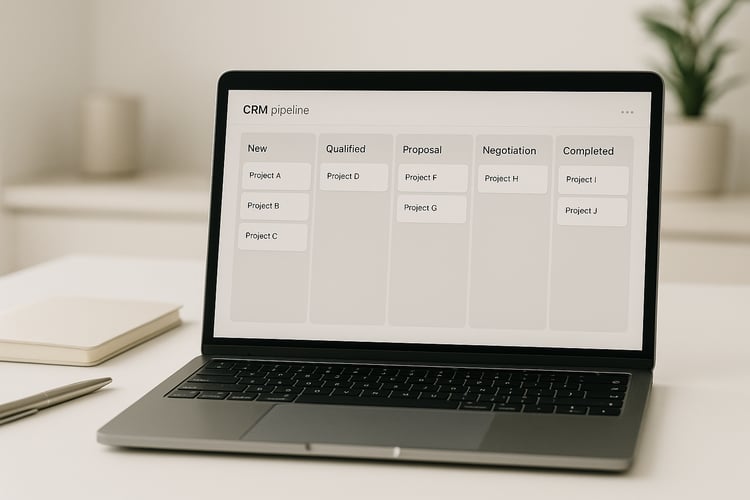
Third, the CRM architecture needs to reflect how your business actually runs — not how a generic CRM template assumes a B2B company works. A project-based company has a pipeline that doesn't end at "closed won." It continues through delivery, invoicing, and completion. If your CRM pipeline stops at the sale, you're integrating half a process.
What it looks like when it's working
A deal closes. The CRM automatically creates a project record and notifies the delivery team with everything from the presale phase — scope notes, client context, agreed deliverables, any commitments made during the proposal stage. No briefing meeting required.
The delivery team opens their project record. They can see what was sold, what the margin target is, and what milestones trigger invoicing. As they log costs in the ERP, the margin updates on the CRM deal in real time. If costs are running high, the sales director sees it on their dashboard — not in a weekly finance report, not in a Monday standup.
When the project closes, the deal moves to "complete" in the CRM. The historical record — margin achieved, deliverables logged, communication history, any incidents — stays attached to the deal and the client record. The next time that client comes back or someone on your team needs to scope a similar project, the data is there to inform the estimate.
That's not a future state. That's what a properly architected HubSpot implementation does for a project-based company today.
If your team is evaluating how to connect your existing stack and you want to see what this model looks like implemented specifically for a project-based company, the details are on the product page — including the object structure, pipeline design, and how the ERP connection is handled in practice.
See how the implementation works for companies that sell projects →